Restaurants & takeaways
Let customers choose dishes and extras, then order ahead for pickup. Staff follow each order through preparation and collection.

For food & retail businesses in New Zealand
Give customers a direct way to order from your restaurant, bubble tea shop, cake shop, food store or dairy. Bring your website, pickup orders and staff order desk together, with optional in-store self-ordering.
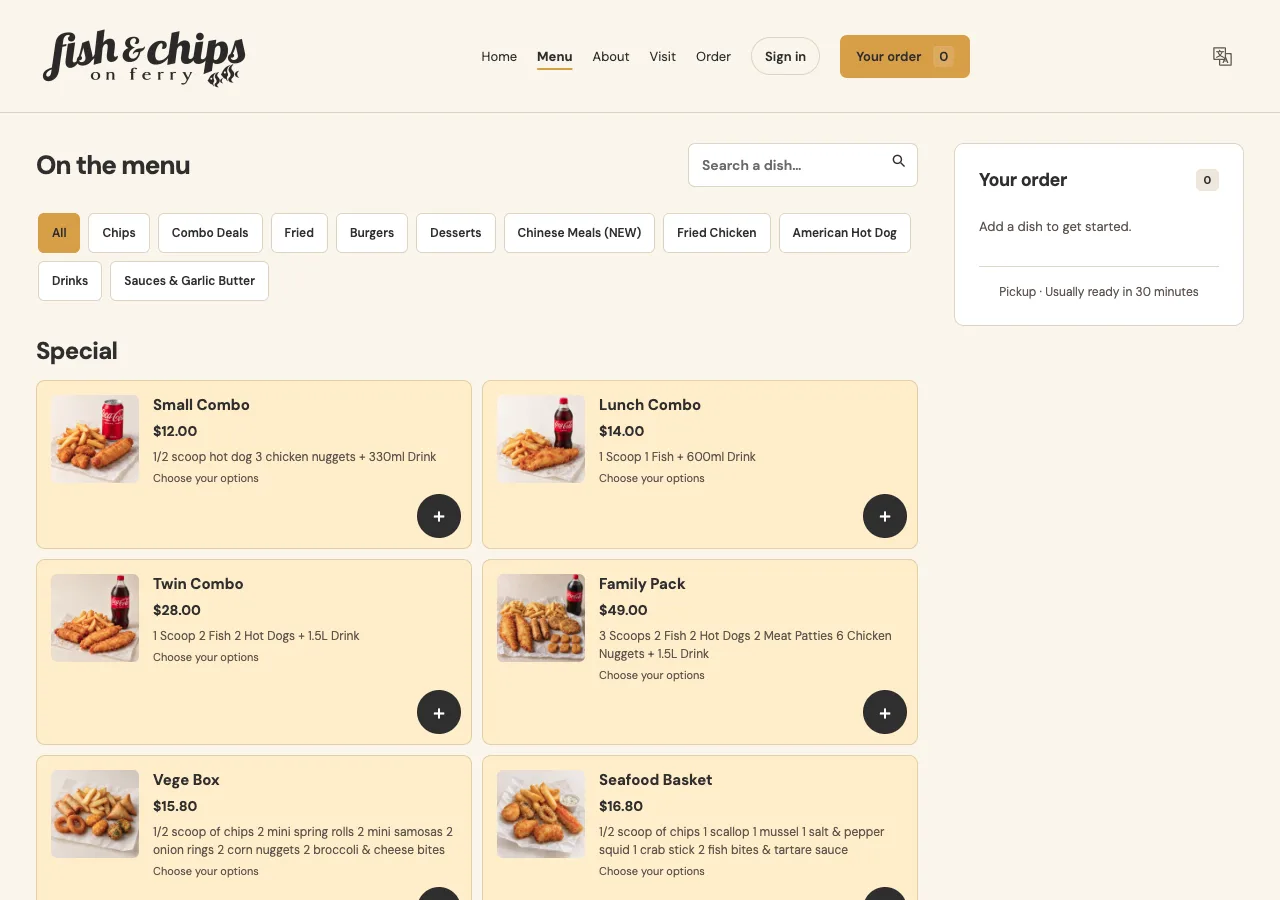
Let customers choose dishes and extras, then order ahead for pickup. Staff follow each order through preparation and collection.
Configure cup sizes, sweetness, ice and toppings as product options. The chosen options stay with the order for staff to check.
List cakes, pastries and packs with available sizes or flavours. Offer collection dates within your configured advance-order window.
Sell prepared food, packaged goods and food bundles by the item or pack. Customers choose products online and collect in store.
Offer drinks, snacks, packaged groceries and everyday essentials for click-and-collect. Staff pack the order and confirm collection.
From the first tap to the pickup counter
Use it for made-to-order food and drinks or products sold by the item or pack. Configure your catalogue, options and pickup times around the way your shop works.
Customers browse your menu or product catalogue on their phones, choose sizes and options, and arrange pickup. English and Chinese interfaces, opening hours, specials and order progress keep the essentials close at hand.
Share your link on Google Maps, social profiles and printed QR codes.
Accept orders, set preparation times and track each order until it is ready and collected. Add telephone orders in the same place. Staff taking orders and preparing food or goods have access suited to their roles.
Android, browser and Windows options. New orders sync at one-minute intervals.
Update products, prices and opening hours. Mark items unavailable, pause ordering during a rush, or limit the number of pickup orders per time slot. Review and export this system’s order reports.
Owner settings and reports stay separate from staff access.
Let customers browse your catalogue on an Android device or a portrait browser screen. Orders enter the same staff queue, using the same products, options and prices.
Counter payment or phone-based online payment, according to the agreed setup.
A clear handover
The products, options and preparation notes travel with the order. Your team can check the details while preparing drinks, making food or packing goods.
The customer selects products and a pickup time, then checks the total.
Staff accept the order, set the wait and start preparation.
Mark the order ready, check payment and hand it over.
See the customer experience
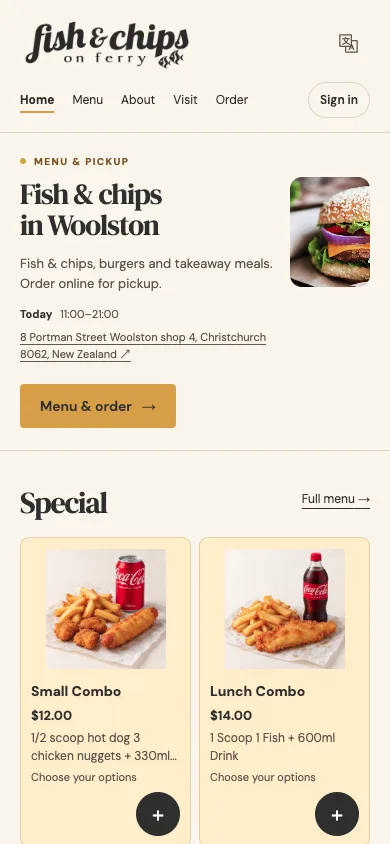
Fish & Chips on Ferry in Christchurch illustrates one restaurant setup, with a branded website, bilingual menu and pickup ordering. The same catalogue, option and order workflow can be configured for drinks, cakes and retail products. The sample website-to-staff-app preparation flow has been tested on an Android tablet.
Browse the sample menuOpens the sample restaurant site in a new tab. Please browse only; contact us to arrange a guided ordering demonstration.
Straightforward costs
One-off quote
We quote for your product catalogue, website, ordering channels, devices and installation. The agreed scope and acceptance checks are written down before work starts.
Discuss your shopNZ$49/ month
Send product or menu changes, opening hours or promotion updates by WhatsApp, WeChat or email. We help keep the site up to date, with scope and turnaround agreed in your service arrangement.
NZ$49 is the final monthly price. We currently do not charge GST; no GST is added.
BestAI does not charge commission on orders. Online payments go to your shop’s own Stripe account. Processing fees, domain renewal, equipment and other third-party costs are listed separately in your quote.
From your products to your first order
Tell us about pickup, busy periods, languages, existing devices and any table-booking service.
We prepare your branded site and catalogue, connect staff roles and guide your team through an order.
Confirm products, prices, hours and order handovers. Payment, printing and equipment are accepted against the actual setup you choose.
The current system supports fixed-price products, configured options, order quantities and manual availability controls. Barcode checkout, automatic stock or purchasing management, pricing by weight and a custom cake-design workflow need separate assessment and are outside the current scope.
Yes, you can keep using them alongside your own ordering website. This system manages its own orders. Marketplace aggregation, a full POS, stock purchasing and driver dispatch are outside the current product scope. Any delivery service is arranged by your shop.
We provide an entry to your existing reservation provider or telephone booking. Table availability and confirmations remain with that provider or your staff. Scheduled pickup is handled within the ordering system.
Stripe online payment and staff printing software are implemented. Your merchant account, real transactions, refunds and physical printer compatibility are checked as part of the agreed installation. The sample site is not evidence of completed payment or hardware acceptance for your shop. Ordinary tablets do not act as integrated EFTPOS terminals.
No. Setup is quoted once, and the NZ$49 monthly care service is optional. You can update your products, prices and opening hours in the owner’s dashboard. Third-party running costs still apply where relevant.
Each shop has a separate deployment and database in its own Cloudflare account, with its own administration and Stripe account. Access, running costs and handover are agreed during setup.
Bring your menu or product list and tell us what happens at the counter. We’ll suggest a practical setup and quote the work clearly.
Discuss your shop